组件的样式和大小
样式
订制组件的样式,用style 属性。 Style 里可以放入js的变量,也能放入多个变量的数组(以数组靠后的变量样式为最优先)
样例代码:
import React from 'react';
import { StyleSheet, Text, View } from 'react-native';

const LotsOfStyles = () => {
    return (
      <View style={styles.container}>
        <Text style={styles.red}>just red</Text>
        <Text style={styles.bigBlue}>just bigBlue</Text>
        <Text style={[styles.bigBlue, styles.red]}>bigBlue, then red</Text>
        <Text style={[styles.red, styles.bigBlue]}>red, then bigBlue</Text> //red的color 被后面的 bigBlue的color覆盖了
      </View>
    );
};

const styles = StyleSheet.create({
  container: {
    marginTop: 50,
  },
  bigBlue: {
    color: 'blue',
    fontWeight: 'bold',
    fontSize: 30,
  },
  red: {
    color: 'red',
  },
});

export default LotsOfStyles;
显示效果:

组件大小
高宽的绝对值
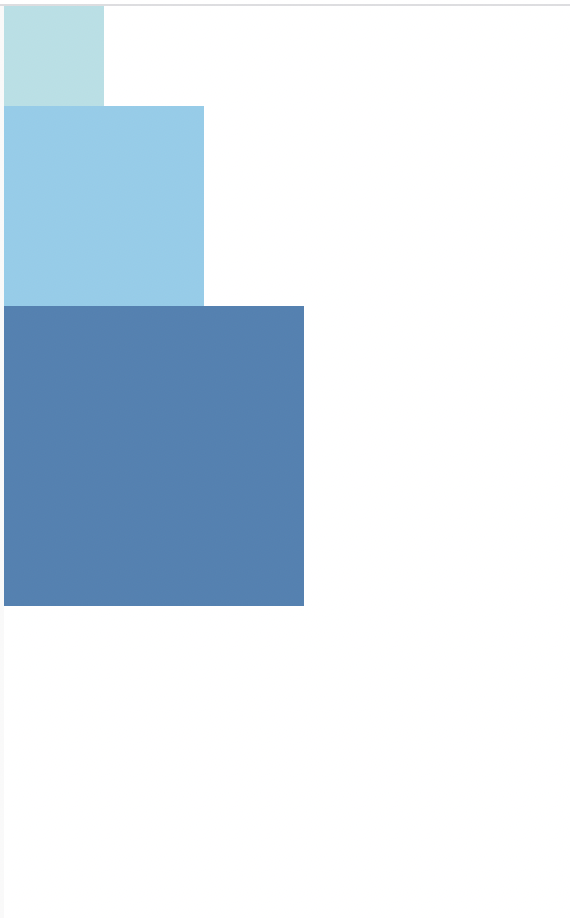
最简单的给组件设定尺寸的方式就是在样式中指定固定的width和height。React Native 中的尺寸都是无单位的,表示的是与设备像素密度无关的逻辑像素点, 其实也就是系统的 UIScreen 获取到的大小。
样例代码:
import React from 'react';
import { View } from 'react-native';

const FixedDimensionsBasics = () => {
  return (
    <View>
      <View style={{width: 50, height: 50, backgroundColor: 'powderblue'}} />
      <View style={{width: 100, height: 100, backgroundColor: 'skyblue'}} />
      <View style={{width: 150, height: 150, backgroundColor: 'steelblue'}} />
    </View>
  );
};

export default FixedDimensionsBasics;
弹性(Flex)宽高
一般用 flex:1 来设定组件撑满父容器的所有空间。 如果多个组件都用了 flex:1, 则大家平分。 如果值不一样,则按值的比例来分(比如 flex:3 和 flex1, 则分为 3/4 和 1/4)
样例代码:
import React from 'react';
import { View } from 'react-native';

const FlexDimensionsBasics = () => {
  return (
    // 试试去掉父View中的`flex: 1`。
    // 则父View不再具有尺寸,因此子组件也无法再撑开。
    // 然后再用`height: 300`来代替父View的`flex: 1`试试看?
    <View style={{width: 50, height:100}}>
      <View style={{flex: 1, backgroundColor: 'powderblue'}} />
      <View style={{flex: 2, backgroundColor: 'skyblue'}} />
      <View style={{flex: 3, backgroundColor: 'steelblue'}} />
    </View>
  );
};

export default FlexDimensionsBasics;
百分比宽高
样例代码:
import React from 'react';
import { View } from 'react-native';
const PercentageDimensionsBasics = () => {
  // Try removing the `height: '100%'` on the parent View.
  // The parent will not have dimensions, so the children can't expand.
  return (
    <View style={{ height: '100%' }}>
      <View style={{
        height: '15%', backgroundColor: 'powderblue'
      }} />
      <View style={{
        width: '66%', height: '35%', backgroundColor: 'skyblue'
      }} />
      <View style={{
        width: '33%', height: '50%', backgroundColor: 'steelblue'
      }} />
    </View>
  );
};
export default PercentageDimensionsBasics;